

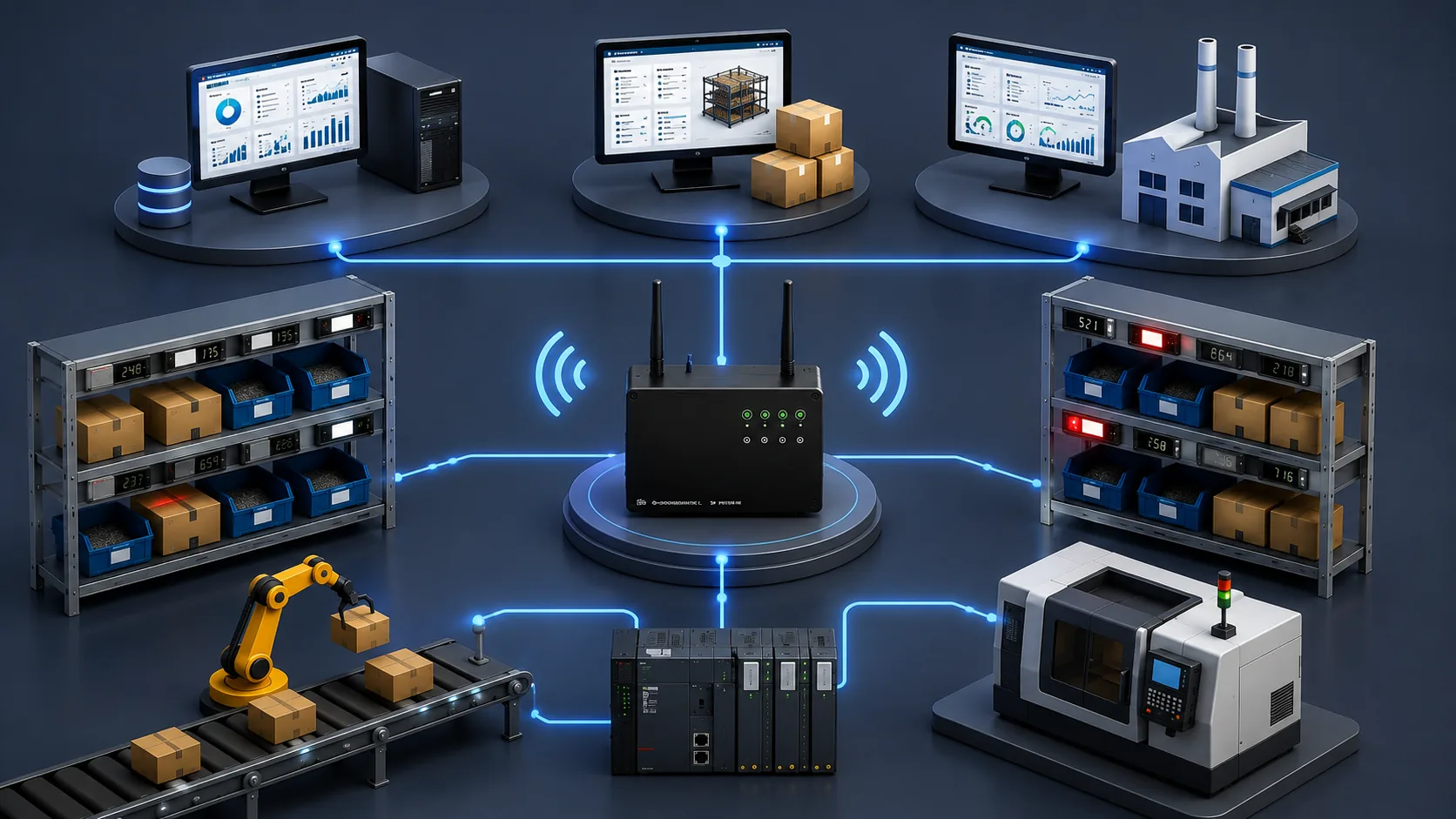
devices per control unit
RF coverage radius*
battery life, usage dependent
on the confirmation button
It minimizes picking errors.
WDPS automatically relays the part and address information from the work order to the operator. Guided by light, the operator reaches the address without having to work out which part goes to or comes from which shelf.
The device's LCD panel shows the quantity or operation code; the operator presses the confirmation button once the task is done. The system consists of WDPS devices on the shelves and the RF Control Unit that manages them.
Guidance for taking the right part from the right shelf.
Guidance for placing the right part on the right shelf or location.

As warehouses and production lines grow, addressing gets harder.
As warehouse and production systems grow, addressing becomes complex; wrong picks, wrong placements and shipping errors increase.
On fast-moving lines the operator has less time to decide; as errors rise, so do costs.
With wired pick-to-light systems, cabling cost, installation time and the difficulty of relayout are a significant barrier.
Two parts. No cables.
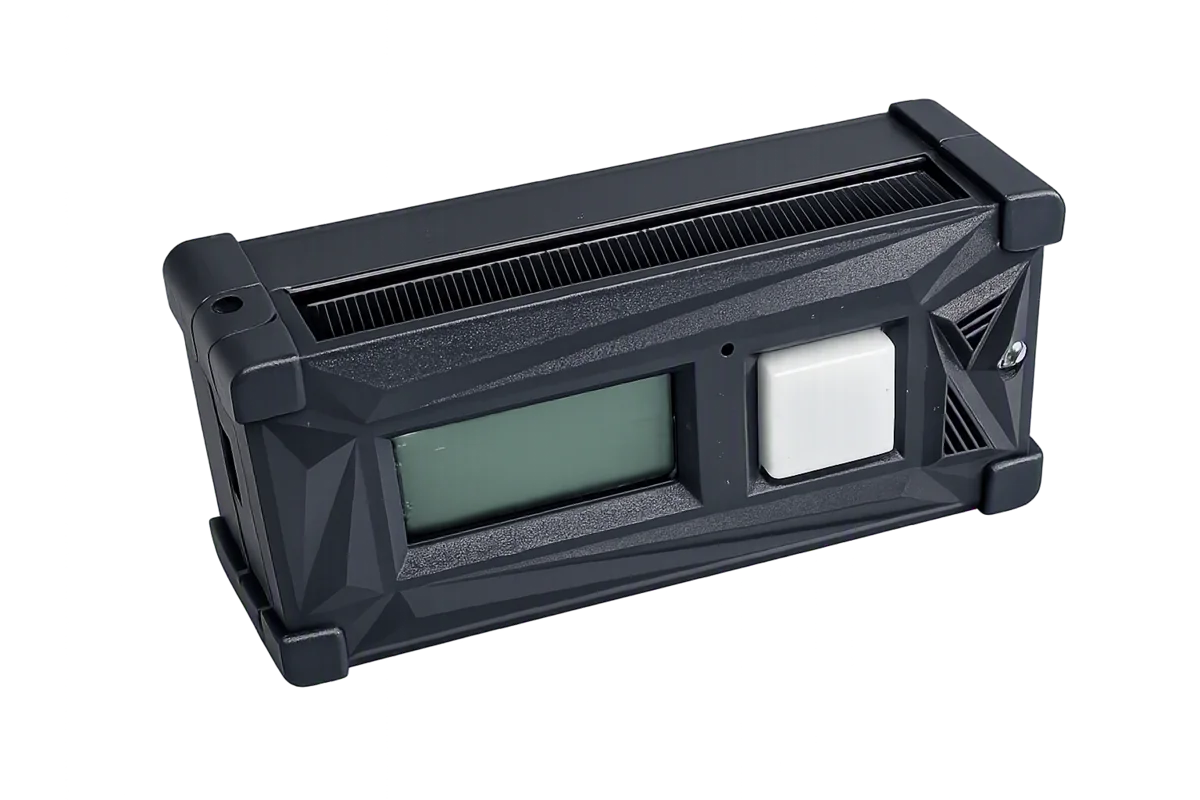
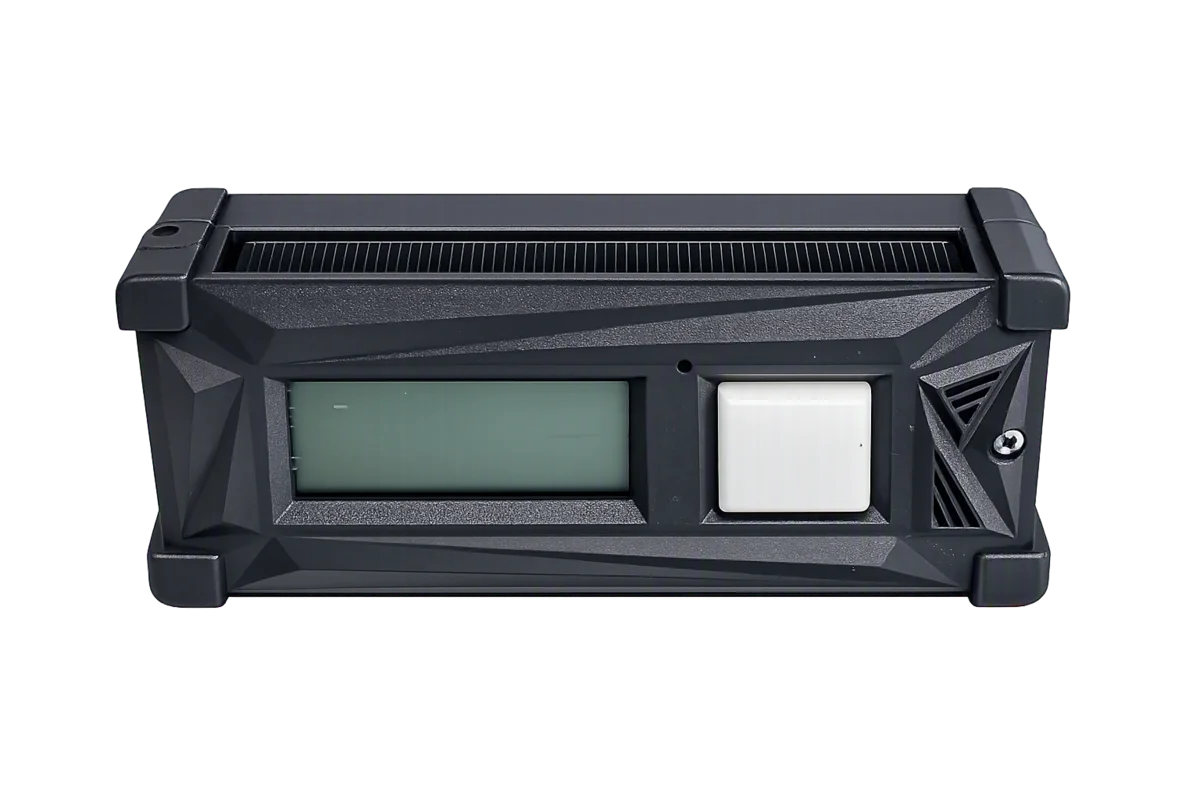
Button
WDPS Shelf Device
- —LCD panel: displays information such as quantity or operation code.
- —7-color button: for visual guidance and operator confirmation.
- —Solar-assisted power design and long battery life (up to 4 years depending on usage).
- —Wireless design: modular installation and layout flexibility; usable on moving platforms as well.
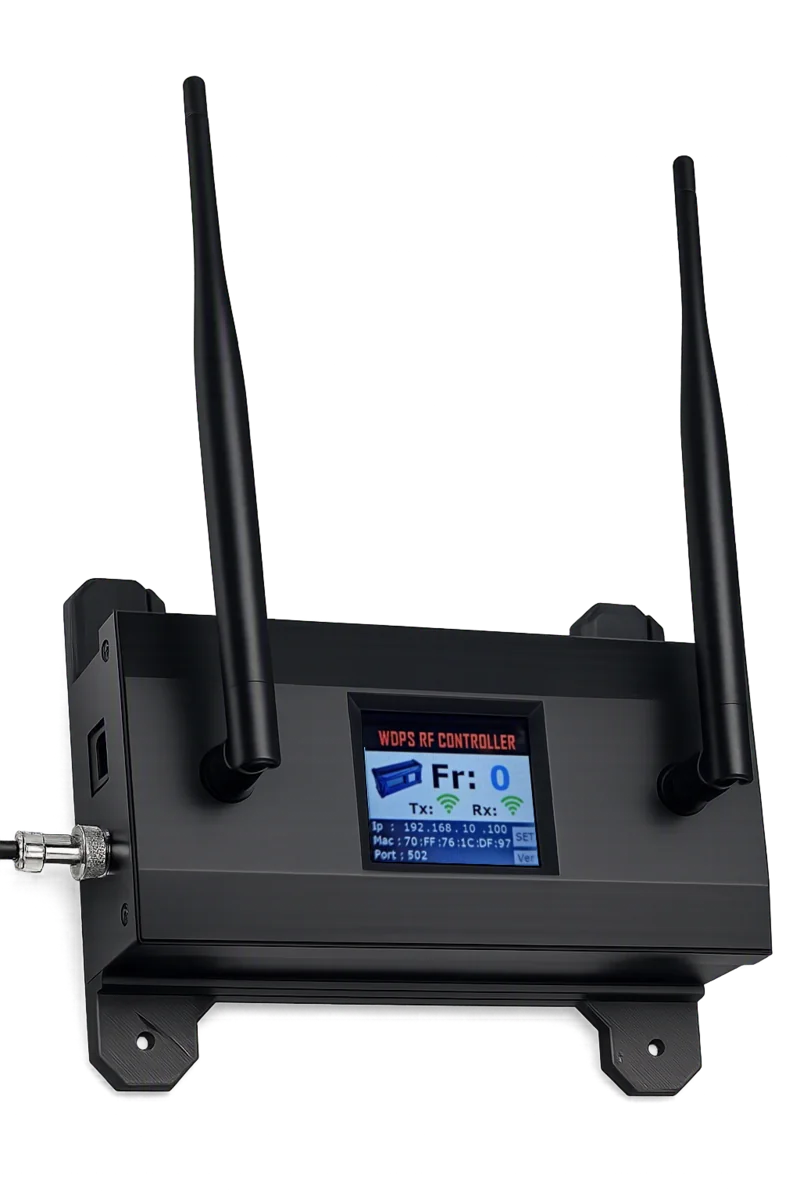
RF Control Unit
The control device that communicates with WDPS devices and manages commands from the host system across the WDPS network. It is designed to run reliably on a real-time operating system (RTOS) and does not require a PC to be permanently present.
- —Integration with PLCs, PCs and industrial devices over Modbus TCP/IP.
- —Wide 12–30V DC supply range with reverse polarity protection.
- —Screw terminals for reliable connections in high-vibration environments.
- —IP/MAC/port, operating frequency and TX-RX board status on the display; IP settings can be changed from the unit.
- —Web interface over the network for adding and removing units, querying status and managing settings.
- —No enclosure work or firmware flashing required; an IP address and a power supply are enough to install.
- —Installation and replacement take 5 minutes.
your PLCs, any brand or model.
Every PLC system the server can reach over the network is in scope. An integration layer installed on the server and configured to each project’s requirements manages the data exchange between the PLC and the shelf devices end to end. Full integration is achieved regardless of brand or model, with no intervention in your existing automation architecture.
The middleware installed on the server is configured around the PLC architecture and process requirements already on site.
Command and feedback flow between the PLC and the shelf devices is managed without interruption.
Your PLC program and automation architecture are not re-engineered.

From work order to confirmation, in five steps.
The ERP/WMS/MES or PLC passes the order and target shelf address to the host software.
The host software or PLC sends the task to the RF Control Unit over Modbus TCP/IP.
The RF Control Unit activates the target WDPS device with the assigned color and LCD content.
The operator follows the light to the address and acts on the quantity shown on the LCD.
The operator confirms with the button; the system closes the task and moves to the next step.
The same logic in reverse, applied to placing a part in the right location.
Advantages
Less cable pulling, fewer conduit and label changes, less downtime; layout changes happen quickly.
Use on mobile racks and transport platforms without cabling constraints.
Battery life measured in years, usage dependent, plus solar support — so maintenance needs drop.
Clear guidance from the LCD and multi-color button, fast confirmation and minimal training.
Direct, standards-based integration with PLC/PC automation infrastructure over Modbus TCP/IP.
In-house R&D and manufacturing mean fast technical support, customization and cost advantage.
Where it works
Under suitable conditions a single control unit can manage a large number of devices across a wide area; dense metal structures may affect coverage.
E-commerce and spare parts warehouses.
Material preparation for the production line.
Sorting operations driven by put-to-light.
Areas where cabling is difficult or undesirable.
Running on automotive lines
WDPS wireless pick-to-light systems are in use across production and logistics areas of automotive manufacturers and their suppliers.